VyOS BGP AS-Path Prepending
Usually, routers determine the fastest / cheapest or in general “most suitable” route to reach a destination with some fancy logic. And usually™, it’s perfectly fine to leave the router’s logic and decision process - it’s well tested and normally works out.
But there might be situations where one, as the originator of some IP prefixes, wants or needs to influence the way, traffic is steered towards it’s own infrastructure. Scenarios where that might be wanted could be
- preferring a primary uplink vs. a secondary uplink (for whatever reasons), similar to having multiple MX records for a domain with different priorities
- migration scenarios
Important: We can steer outgoing traffic from our infrastructure pretty clear - but we cannot directly command, how traffic is steered from $wherever on the internet towards our infrastructure. We can only try to influence the traffic path decision mechanism, and with that, indirectly influence on which path, traffic is sent to us.
What’s the AS Path?
A bit of background about why the AS-Path is relevant:
On the internet, routers announce prefixes to their peers. So for example the router of Organization A announces the prefix 2001:db8:f00::/48. Their peer understands that they can reach any IPv6 address within 2001:db8:f00::/48 by sending packages to the router of Organization A.
Now upstream providers (also known as transit providers) re-distribute learned prefixes to their peers.
Simplified, the AS-Path is built based on the above information - by just replacing Organisations with their ASN. So one Router on the internet could therefore know that the prefix is routed via Transit-Provider -> Organisation A, or expressed in AS-Numbers something like 123123 999999.
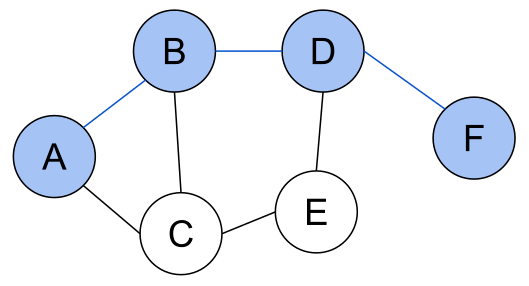
Image-Source by Artyom Kalinin - Licensed under CC BY-SA 3.0

It get’s more interesting of course, when a given router has multiple as-paths to a target, like 123123 99999 and 456456 123123 999999. That router now probably chooses based on the as-path length that the distance for the first path is shorter, thus sends traffic down that route.
Other facts can of course also influence the decision, but for the sake of a simple explanation we’ll just ignore that for now.
AS-Path Prepending
In a migration scenario, I recently had to influence traffic steering. In order to test whether our upstream providers accept + properly re-distribute prefixes that were about to be migrated, our plan was like
- start announcing the prefixes to our transit providers (in parallel to the existing announcements of the existing infrastructure in a different datacenter)
- influence the announcement in a way that traffic is most-probably sent to the existing infrastructure and not (yet) to our infrastructure - with as-path prepending
- test the behaviour
- migrate workload (a different story)
- stop the announcements on the existing infrastructure
- remove the as-path prepending on our side (= traffic flows to our infrastructure now)
In short, our goal was to announce the same prefixes in parallel from the old/existing infrastructure to their transit-providers - and also from our infrastructure to our transit-providers. For this, our announcement should temporarily be “worse” than the existing one. This to test everything, keep the workload reachable and easily switch over the inbound traffic at a given moment in time without surprises (Hint: manual filter adjustments at upstream-providers are still a thing).
Prepending our AS with VyOS
Example configuration where our AS is AS65550, and our upstream provider’s AS is AS65540:
set policy prefix-list6 ourNetworksV6 rule 40 action permit
set policy prefix-list6 ourNetworksV6 rule 40 prefix 2001:db8:f00::/48
set policy prefix-list6 ourNetworksV6Prepended rule 40 action permit
set policy prefix-list6 ourNetworksV6Prepended rule 40 prefix 2001:db8:f00::/48

set policy route-map ExportRouteMap rule 19 action permit
set policy route-map ExportRouteMap rule 19 description announce certain prefixes with our ASN prepended
set policy route-map ExportRouteMap rule 19 match as-path AS65550
set policy route-map ExportRouteMap rule 19 match ipv6 address prefix-list ourNetworksV6Prepended
set policy route-map ExportRouteMap rule 19 set as-path prepend 65550 65550

set policy route-map ExportRouteMap rule 20 action permit
set policy route-map ExportRouteMap rule 20 match as-path AS65550
set policy route-map ExportRouteMap rule 20 match ipv6 address prefix-list ourNetworksV6

set policy route-map ExportRouteMap rule 100 action deny

set protocols bgp neighbor 3fff:999::1 address-family ipv6-unicast route-map export ExportRouteMap
set protocols bgp neighbor 3fff:999::1 address-family ipv6-unicast route-map import ImportRouteMap
set protocols bgp neighbor 3fff:999::1 address-family ipv6-unicast weight 2001
set protocols bgp neighbor 3fff:999::1 description Transit Your-Partners-Name
set protocols bgp neighbor 3fff:999::1 remote-as 65540
Rules in RouteMaps
In the above example configuration, the relevant rule for the AS Path Prepending is rule 19. Rule 20 was the existing one and initially I added the new rule for prepending our AS number in the path subsquently as rule 21. And was surprised that it did not work.
My learning was, that
- a) ip addresses / prefixes can be part of multiple prefix-lists and there, the order does not matter
- b) for rules in route-maps the order is relevant: The first rule that matches will be chosen. In the above example rule 19 is the one that needs to match (and rule 20 without the prepending should be ignored).
The setup with an ExportRouteMap that is most likely attached to multiple BGP neighbours makes sure the AS-Path-Prepending is announced towards all of the Transit-Providers and Peers.
And having two separate prefix-list6 definitions, one for all own network prefixes and one for the ones that need the prepending makes this solution pretty flexible: Just add/remove single prefixes from the ourNetworksV6Prepended prefix-list to enable/disable the prepending for this prefix. Those prefixes that are not in ourNetworksV6Prepended will not match rule 19 in the ExportRouteMap, but probably match rule 20 and get still announced, but without prepending the AS number in the AS path.
Sidenote: Can Prefixes be announced from two ASN at the same time?
Yes they can. Usually it’s seen to happen during migrations like the one described above.
See the nice summary on this question by bgp.tools
Sidenote the second: IPv4
Of course the above also works with IPv4 - I just wanted to make all examples with IPv6 for this post and used the reserved IPv6 example prefix - and also reserved AS-Numbers, see Autonomous Systems.